Mouse
Use your phone as a mouse with sensor movement, a touchpad, five buttons and scrolling.
Learn more ↗MOUSEPControl is being developed to bring five tools together: use your Android phone as a mouse, keyboard and gamepad for Windows, view your desktop, and transfer files between your devices.
V1.0: Windows 64 bit + Android.
macOS and iOS are planned for a later release.
 PREVIEW
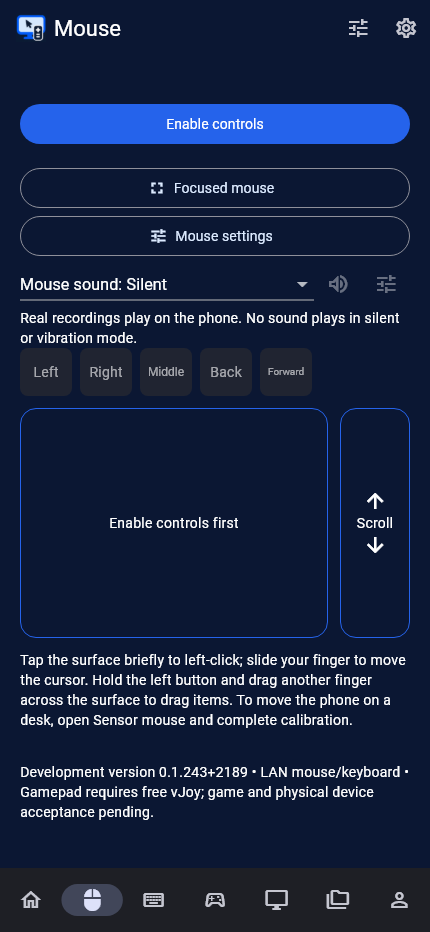
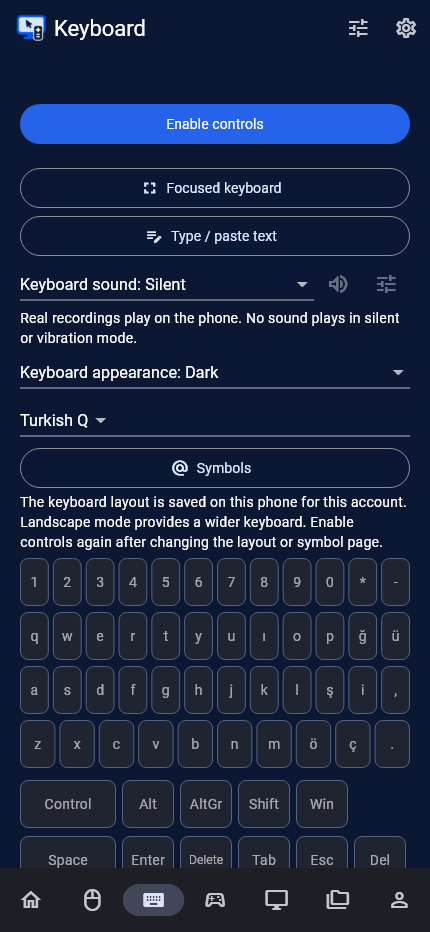
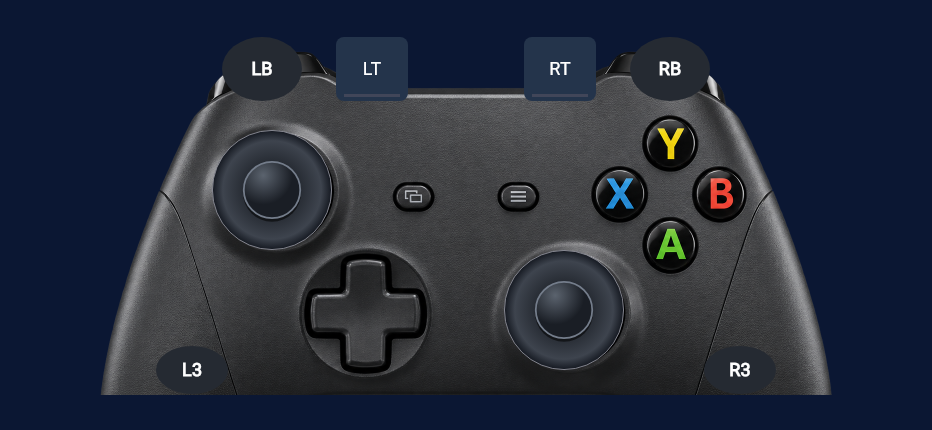
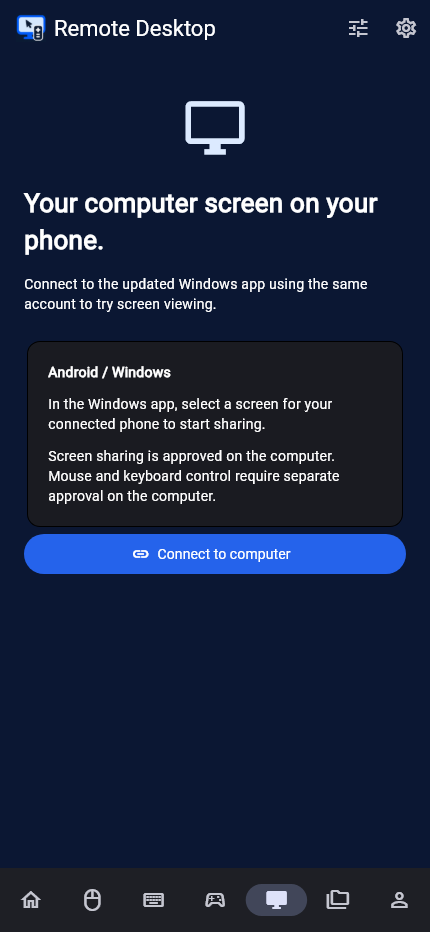
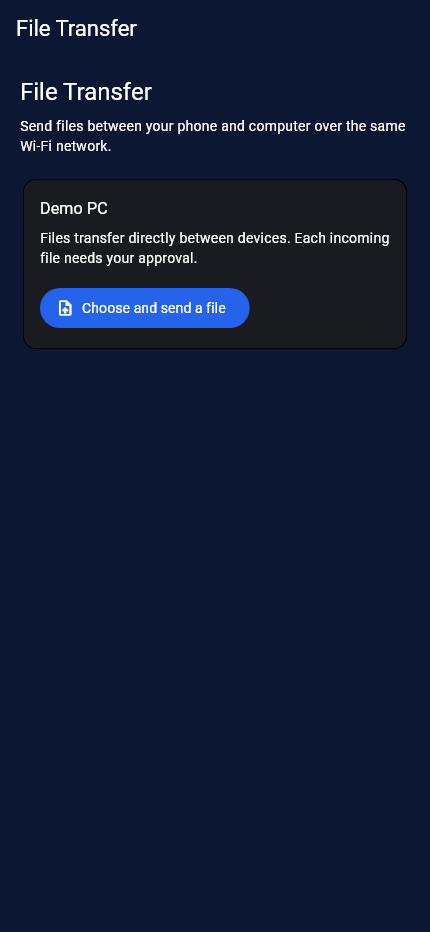
An interface preview only. It does not connect to a computer.
Five core features for everyday computer use, typing, gaming, remote viewing and file transfers.
Use your phone as a mouse with sensor movement, a touchpad, five buttons and scrolling.
Learn more ↗MOUSEType using Turkish F, Turkish Q or English Q layouts. Access special keys and keyboard shortcuts from your phone.
Learn more ↗KEYBOARDUse two sticks, a directional pad and triggers. Support for playing together with up to four phones is being developed.
Learn more ↗GAMEPADTry experimental Windows screen viewing on Android. Control through the displayed screen is under development.
Learn more ↗REMOTE DESKTOPTransfer files directly between Android and Windows on the same Wi-Fi. Choose where to save each incoming file and approve it.
Learn more ↗FILE TRANSFERV1.0 is in development. Version 0.1.243 test packages are available. They include Remote Desktop viewing with separate control permission and two-way File Transfer on the same Wi-Fi. Device compatibility and physical acceptance testing are still in progress.
Move the Windows pointer using your phone's movement or its touchpad.
V1.0 development and device testing are ongoing.
Use your phone for typing, special keys and everyday keyboard shortcuts.
V1.0 development and device testing are ongoing.
Use sticks, triggers and game buttons on your phone's controller screen.
Game compatibility, vibration and multiplayer use are undergoing physical device testing.
Try viewing a selected Windows display on an Android phone on the same network.
This test version includes viewing and separately approved control flows. Video, input, performance and cross-network video testing are not complete.
Send files from phone to computer or computer to phone. Both devices must be on the same Wi-Fi network.
A new test feature: device, large-file and interruption testing is ongoing. This is not a completed V1.0 for general release.
Keep your control settings and appearance preferences together in your profile.
Light, dark or system theme, with separate appearance, sound and volume settings for mouse and keyboard.
Manage sensitivity, mappings and game preferences in named profiles. Personalize your account with a nickname and profile photo.
View optional summaries of mouse clicks, keyboard use and gamepad time. Typed text is not stored in usage counters.
The Android app and Windows companion app work together.
Download the Windows 64-bit test package and extract the portable ZIP. Gamepad output requires the free vJoy driver to be installed separately.
Sign in on your phone and computer. A new account and initial verification require an internet connection.
Scan the QR code for your chosen connection method and approve the request on the computer. Then select a feature.
Mouse, keyboard and gamepad have local network, experimental Bluetooth and internet relay options. For different networks, choose the relay QR code; the local network QR code is for devices on the same network. Remote Desktop video in this test version is limited to LAN.
Download the Android APK and Windows portable ZIP. Use the same version and account on both devices.
64-bit · x64
Download Windows ZIP ↓0.1.243 · 30.3 MBExtract the ZIP completely and open pc_kontrol.exe. Gamepad output needs the free vJoy driver. This portable package does not install a driver. Windows may show a trust warning because the app has no publisher signature.
Android 12 or later · ARM64
Download Android APK ↓0.1.243 · 130.5 MBYou can install over the existing app. Update Windows to the same version too. The app has not yet been published on Google Play.
No package is available for this architecture.
Planned for a later release. This test package is for Windows and Android.
2,002 automated source tests and static analysis passed for this package. These results do not replace physical device acceptance.
SHA-256 checksumsPControl is being developed to use Android as a mouse, keyboard, gamepad, remote screen and file transfer tool for Windows. The PControl desktop app must be running on your computer.
V1.0 covers Android phones and 64-bit Windows computers. Windows 10/11 compatibility is part of testing. macOS and iOS are planned for later; no 32-bit Windows package is available.
Yes, signing in is required. Email/password and Google sign-in are being developed. Pairing uses computer approval and device trust.
Local network, Bluetooth and internet relay connections are being developed. Use the QR code for the chosen connection method. Remote Desktop video is planned for LAN or internet, not Bluetooth; this test package limits video to LAN. File Transfer is always limited to the same Wi-Fi.
Local offline control is intended for previously signed-in, trusted devices with time-limited authorization. A new account and initial verification require internet. The computer must be on with PControl running.
Compatibility with every game is not guaranteed. Windows gamepad output, target games and multiple phones require separate testing. Compatibility information will be shared before release.
The test package contains experimental viewing and separately approved control flows. Physical device, performance and cross-network video acceptance are not complete. Use the same version on Android and Windows; compatibility testing is ongoing.
You can download the 0.1.243 Android APK and Windows portable ZIP from this page. Work toward V1.0 and a Play Store release is ongoing.
File contents transfer directly between Android and Windows on the same Wi-Fi, without a PControl file server. Sign-in and initial verification require internet. File Transfer does not support different networks or Bluetooth.
Pricing and advertising have not been announced. Terms and pricing information will be shared before release.
No. The images are rendered from PControl's own app screens using sample data. Select a feature icon to explore them. This page does not connect to or send commands to your computer. Images show newer source development; the downloadable test package may be older.